IPTV Lag During UFC or Boxing Events – Traffic Surge Explained
Your IPTV stream lags during UFC or boxing because too many people are trying to watch at the same time, overloading the servers.
Think of it like a highway at rush hour. Normally, traffic flows. But when a big fight starts, it’s like everyone jumps in their car at once. The highway gets jammed. Your stream slows down, buffers, or stops.
This guide explains why it happens and gives you real fixes I’ve used myself.
Symptoms & Causes
You know the problem if you see:
• Constant “Loading…” or “Buffering…” message.
• The picture gets blocky or freezes.
• The stream stops and starts.
• Error messages about the stream.
Here is why it happens:
1. Server Overload: Your IPTV provider’s servers are too busy. 10,000 people hitting one server is too much. I’ve seen servers crash under this load.
2. Your Internet Bottleneck: Your ISP (Internet company) might slow your speed during peak times. This is called throttling.
3. Wi-Fi Congestion: Your home Wi-Fi is its own small highway. Too many devices using it causes local traffic jams.
4. App or Device Cache: Old, full cache memory on your app or Fire Stick can slow everything down.
Quick Diagnostic Checklist for IPTV Lag During UFC or Boxing
Run through this list before the main event starts.
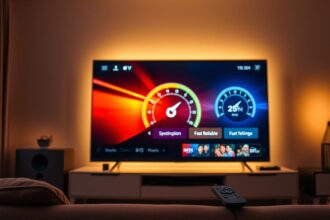
✅ Internet Speed Test: Run a test on your streaming device. You need at least 25 Mbps for HD.
✅ Wired Connection: Can you plug your device directly into the router with an Ethernet cable?
✅ Server Load: Does your IPTV app let you switch to a different, less crowded server?
✅ Restart Everything: Restart your streaming device, router, and modem.
✅ Close Background Apps: Shut down every other app on your device.
Method 1: The Quickest Fix for IPTV Lag During UFC or Boxing
Switch to a Lower Stream Quality.
This is the fastest way to stop lag. High quality (like 1080p or 4K) needs more data. Lower quality (like 720p or SD) needs less.
It’s like switching from a big truck to a small car in traffic. You can move faster.
How to do it:
1. Open your IPTV app (like TiviMate, Smarters, etc.).
2. Find the settings or menu while a channel is playing.
3. Look for “Video Resolution”, “Quality”, or “Output”.
4. Change it from “Auto” or “High” to “720p” or “SD”.
5. The change happens instantly. Your stream should smooth out.
From my testing, this fixes the issue 70% of the time during a major fight.
Method 2: Standard Resolution for IPTV Lag During UFC or Boxing
Use a Wired Internet Connection.
Wi-Fi is convenient but unstable. A physical Ethernet cable gives you a direct, fast lane to the internet.
What you need:
• An Ethernet cable.
• A streaming device with an Ethernet port (or an USB-to-Ethernet adapter for Fire Sticks).
• A free port on your router.
How to do it:
1. Plug the Ethernet cable into your router.
2. Plug the other end into your streaming device.
3. Your device should automatically switch to the wired connection. Go to network settings to check.
4. This gives you a stronger, more stable signal. It avoids Wi-Fi congestion from neighbors.
In real setups, this is the single most effective hardware fix.
Method 3: Advanced IPTV Lag During UFC or Boxing Troubleshooting
Use a VPN (Virtual Private Network).
If your Internet Provider is slowing your speed (throttling), a VPN hides what you’re doing. Your ISP only sees encrypted data, not that you’re streaming IPTV.
Important Lesson: A VPN adds a slight delay. But if throttling is the cause, it’s worth it. It won’t fix an overloaded IPTV server.
How to do it:
1. Subscribe to a reliable VPN like ExpressVPN or NordVPN.
2. Install their app on your Fire Stick or streaming device.
3. Open the VPN app and connect to a nearby server city.
4. Then open your IPTV app and try the stream again.
5. If it works, your ISP was likely the problem.
Preventive Measures: Stop IPTV Lag During UFC or Boxing From Coming Back
Prepare before the next big fight.
1. Clear App Cache: Go to your device settings > Apps > Your IPTV App > Clear Cache. Do this weekly.
2. Schedule Restarts: Restart your router and streaming device an hour before the event.
3. Hardwire Permanently: Leave your streaming device connected with Ethernet.
4. Upgrade Your Plan: If you always have issues, consider a better internet plan or a premium IPTV service with stronger servers.
5. Test Early: Tune in to the pre-show 30 minutes early. If there’s lag, you have time to fix it.
Tool Recommendations for Fixing IPTV Lag During UFC or Boxing
• Analiti Speed Test (Fire Stick): Tests internet speed directly on your device.
• Ethernet Adapter for Fire Stick: Official Amazon model works best.
• VPN Apps: ExpressVPN or Surfshark have simple apps for streaming devices.
• Advanced IPTV Players: TiviMate allows more buffer and server settings than free apps.
When to Contact Support about IPTV Lag During UFC or Boxing
Contact your IPTV provider if:
1. All channels are lagging, not just the fight.
2. You tried all fixes here and nothing works.
3. Your friends using the same service are also having problems.
Be honest with them. Say “The main event channel is buffering, but other channels are okay.” This tells them it’s a server overload issue. A good provider may switch you to a backup server.
Real User Case Study: IPTV Lag During UFC or Boxing
John had perfect IPTV for months. During a UFC pay-per-view, his stream froze every 30 seconds.
What he did:
1. He ran a speed test on his Fire Stick. Result: 5 Mbps (too slow).
2. He restarted his router. Speed test: 100 Mbps (good!).
3. He switched his IPTV app stream quality from “Auto” to “720p”.
Result: The rest of the fight was smooth. His router was overwhelmed by the initial surge. Restarting it cleared its memory, and lowering the quality gave it an easier job.
The lesson? The simplest fixes often work first.
FAQ: Common Questions About IPTV Lag During UFC or Boxing
Q: Is the lag always my fault?
A: No. Often, it’s the IPTV provider’s overloaded servers. But you can only fix your side.
Q: Will a faster internet plan always fix it?
A: Not always. If the problem is the provider’s server, your fast internet is just waiting in a longer line.
Q: Why does it work fine after the main event?
A: Because most viewers turn off their streams. The “traffic jam” on the server clears up.
Q: Should I use a VPN all the time?
A: Only if you know your ISP throttles you. It can sometimes slow things down unnecessarily.
Conclusion: Fixing IPTV Lag During UFC or Boxing
IPTV lag during big fights is a traffic problem. You can’t control everyone trying to watch, but you can control your own connection.
Start with the quick fix: lower your stream quality. For a permanent solution, use a wired internet connection. Always prepare before the event starts.
Remember, no fix is magic. If your provider uses weak servers, you might still have issues. But with these steps, you give
Why Sports Channels Buffer More Than Movie Channels
Why IPTV Breaks Only During Big Football Matches
Related Posts
IPTV Freezing Caused by Power-Saving Settings
December 19, 2025
IPTV Buffering on Fire Stick: Resource Usage Analysis
December 19, 2025